> ## Documentation Index
> Fetch the complete documentation index at: https://portkey-docs-chore-bedrock-service-tier-support.mintlify.site/llms.txt
> Use this file to discover all available pages before exploring further.
# Cache (Simple & Semantic)
> Speed up requests and reduce costs by caching LLM responses.
**Simple** caching is available for all plans.
**Semantic** caching requires a vector database and is only available on select Enterprise plans. [Contact us](https://portkey.ai/docs/support/contact-us) to learn more about enabling this feature.
Cache LLM responses to serve requests up to **20x faster** and cheaper.
| Mode | How it Works | Best For | Supported Routes |
| ------------ | ------------------------------------- | -------------------------------- | ------------------------------------- |
| **Simple** | Exact match on input | Repeated identical prompts | All models including image generation |
| **Semantic** | Matches semantically similar requests | Denoising variations in phrasing | `/chat/completions`, `/completions` |
## Enable Cache
Add `cache` to your [config object](/api-reference/config-object#cache-object-details):
```json Simple Cache theme={null}
{ "cache": { "mode": "simple" } }
```
```json Semantic Cache theme={null}
{ "cache": { "mode": "semantic" } }
```
```json With TTL (60 seconds) theme={null}
{ "cache": { "mode": "semantic", "max_age": 60 } }
```
Caching won't work if `x-portkey-debug: "false"` header is included.
## Simple Cache
Exact match on input prompts. If the same request comes again, Portkey returns the cached response.
## Semantic Cache
Matches requests with similar meaning using cosine similarity. [Learn more →](https://portkey.ai/blog/reducing-llm-costs-and-latency-semantic-cache/)
Semantic cache is a superset—it handles simple cache hits too.
Semantic cache works with requests under 8,191 tokens and ≤4 messages.
### System Message Ignored
Semantic cache requires **at least two messages**. The first message (typically `system`) is ignored for matching:
```json theme={null}
[
{ "role": "system", "content": "You are a helpful assistant" },
{ "role": "user", "content": "Who is the president of the US?" }
]
```
Only the `user` message is used for matching. Change the system message without affecting cache hits.
## Cache TTL
Set expiration with `max_age` (in seconds):
```json theme={null}
{ "cache": { "mode": "semantic", "max_age": 60 } }
```
| Setting | Value |
| ------- | --------------------------- |
| Minimum | 60 seconds |
| Maximum | 90 days (7,776,000 seconds) |
| Default | 7 days (604,800 seconds) |
### Organization-Level TTL
Admins can set default TTL for all workspaces to align with data retention policies:
1. Go to **Admin Settings** → **Organization Properties** → **Cache Settings**
2. Enter default TTL (seconds)
3. Save
**Precedence:**
* No `max_age` in request → org default used
* Request `max_age` > org default → org default wins
* Request `max_age` \< org default → request value honored
Max org-level TTL: 25,923,000 seconds.
## Force Refresh
Fetch a fresh response even when a cached response exists. This is set **per-request** (not in Config):
```python Python theme={null}
response = portkey.with_options(
cache_force_refresh=True
).chat.completions.create(
messages=[{"role": "user", "content": "Hello!"}],
model="@openai-prod/gpt-4o"
)
```
```javascript Node theme={null}
const response = await portkey.chat.completions.create({
messages: [{ role: 'user', content: 'Hello' }],
model: '@openai-prod/gpt-4o',
}, {
cacheForceRefresh: true
});
```
```bash cURL theme={null}
curl https://api.portkey.ai/v1/chat/completions \
-H "x-portkey-api-key: $PORTKEY_API_KEY" \
-H "x-portkey-config: pc-cache-xxx" \
-H "x-portkey-cache-force-refresh: true" \
-d '{"model": "@openai-prod/gpt-4o", "messages": [{"role": "user","content": "Hello!"}]}'
```
* Requires cache config to be passed
* For semantic hits, refreshes ALL matching entries
## Cache Namespace
By default, Portkey partitions cache by all request headers. Use a custom namespace to partition only by your custom string—useful for per-user caching or optimizing hit ratio:
```python Python theme={null}
response = portkey.with_options(
cache_namespace="user-123"
).chat.completions.create(
messages=[{"role": "user", "content": "Hello!"}],
model="@openai-prod/gpt-4o"
)
```
```javascript Node theme={null}
const response = await portkey.chat.completions.create({
messages: [{ role: 'user', content: 'Hello' }],
model: '@openai-prod/gpt-4o',
}, {
cacheNamespace: 'user-123'
});
```
```bash cURL theme={null}
curl https://api.portkey.ai/v1/chat/completions \
-H "x-portkey-api-key: $PORTKEY_API_KEY" \
-H "x-portkey-config: pc-cache-xxx" \
-H "x-portkey-cache-namespace: user-123" \
-d '{"model": "@openai-prod/gpt-4o", "messages": [{"role": "user","content": "Hello!"}]}'
```
## Cache with Configs
Set cache at top-level or per-target:
```json Top-Level (all targets) theme={null}
{
"cache": { "mode": "semantic", "max_age": 60 },
"strategy": { "mode": "fallback" },
"targets": [
{ "override_params": { "model": "@openai-prod/gpt-4o" } },
{ "override_params": { "model": "@anthropic-prod/claude-3-5-sonnet-20241022" } }
]
}
```
```json Per-Target theme={null}
{
"strategy": { "mode": "fallback" },
"targets": [
{ "override_params": { "model": "@openai-prod/gpt-4o" }, "cache": { "mode": "simple", "max_age": 200 } },
{ "override_params": { "model": "@anthropic-prod/claude-3-5-sonnet-20241022" }, "cache": { "mode": "semantic", "max_age": 100 } }
]
}
```
Target-level cache takes precedence over top-level.
Targets with `override_params` need that exact param combination cached before hits occur.
## Analytics & Logs
**Analytics** → Cache tab shows:
* Cache hit rate
* Latency savings
* Cost savings
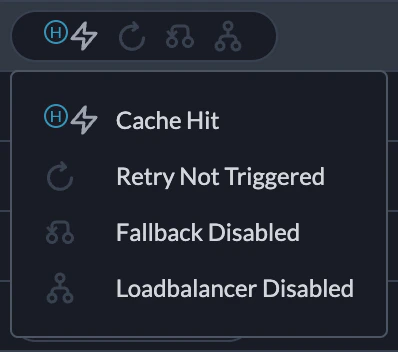
**Logs** → Status column shows: `Cache Hit`, `Cache Semantic Hit`, `Cache Miss`, `Cache Refreshed`, or `Cache Disabled`. [Learn more →](/product/observability/logs)