> ## Documentation Index
> Fetch the complete documentation index at: https://portkey-docs-chore-bedrock-service-tier-support.mintlify.site/llms.txt
> Use this file to discover all available pages before exploring further.
# Team Provisioning
> Control which workspaces and users can access MCP servers and their capabilities.
Access control for MCP servers happens at two levels.
## Organization-level (MCP Registry)
Requires **Org Admin** or **Org Owner** role.
Control which workspaces can access an MCP server:
1. Click **MCP Registry** in the sidebar
2. Click on an MCP server
3. Open the **Access Control** tab
4. Toggle workspaces on/off
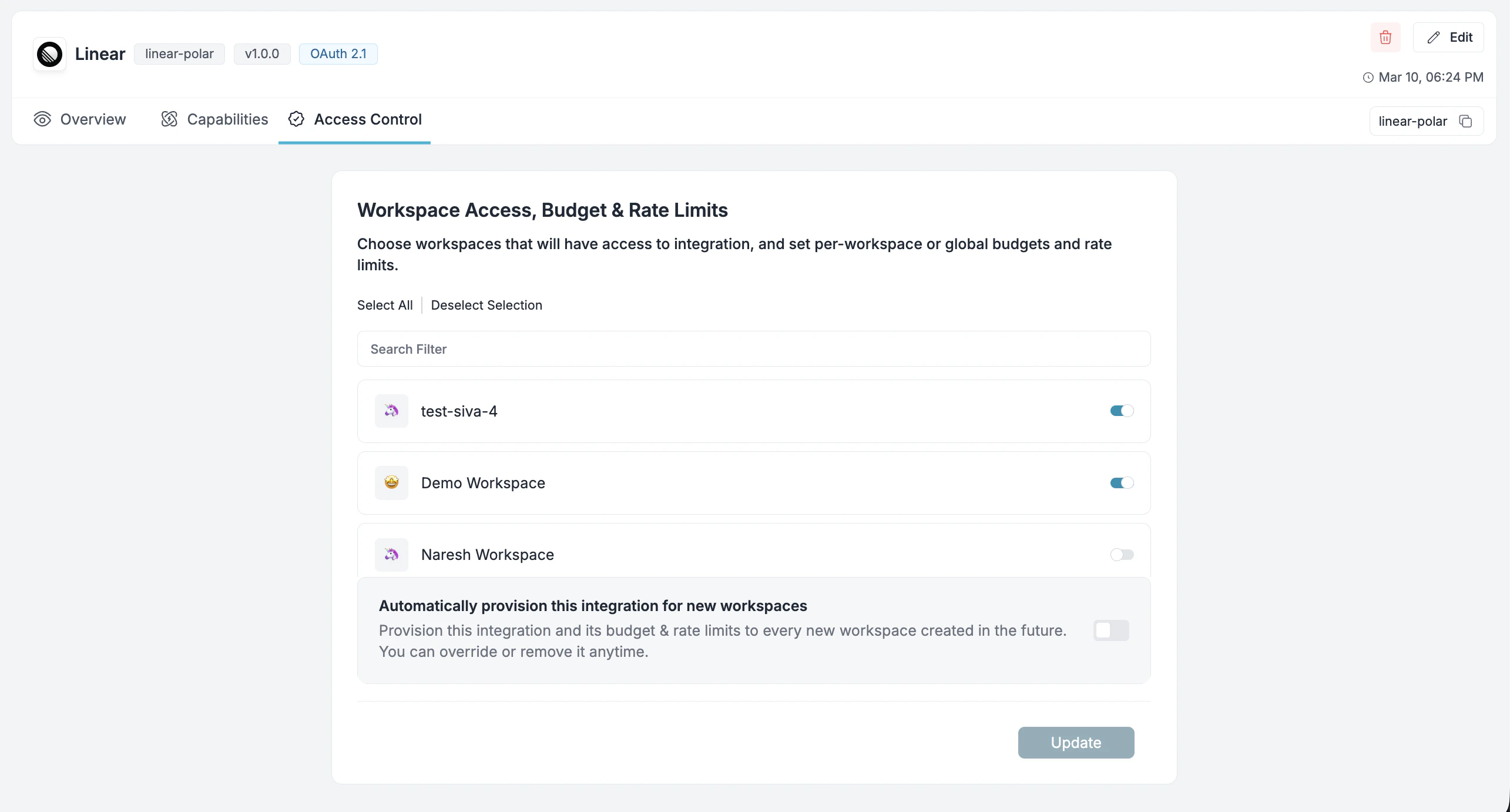 Enable **Automatically provision this integration for new workspaces** to include future workspaces by default.
## Workspace-level (MCP Servers)
Requires **Workspace Manager** or **Workspace Admin** role.
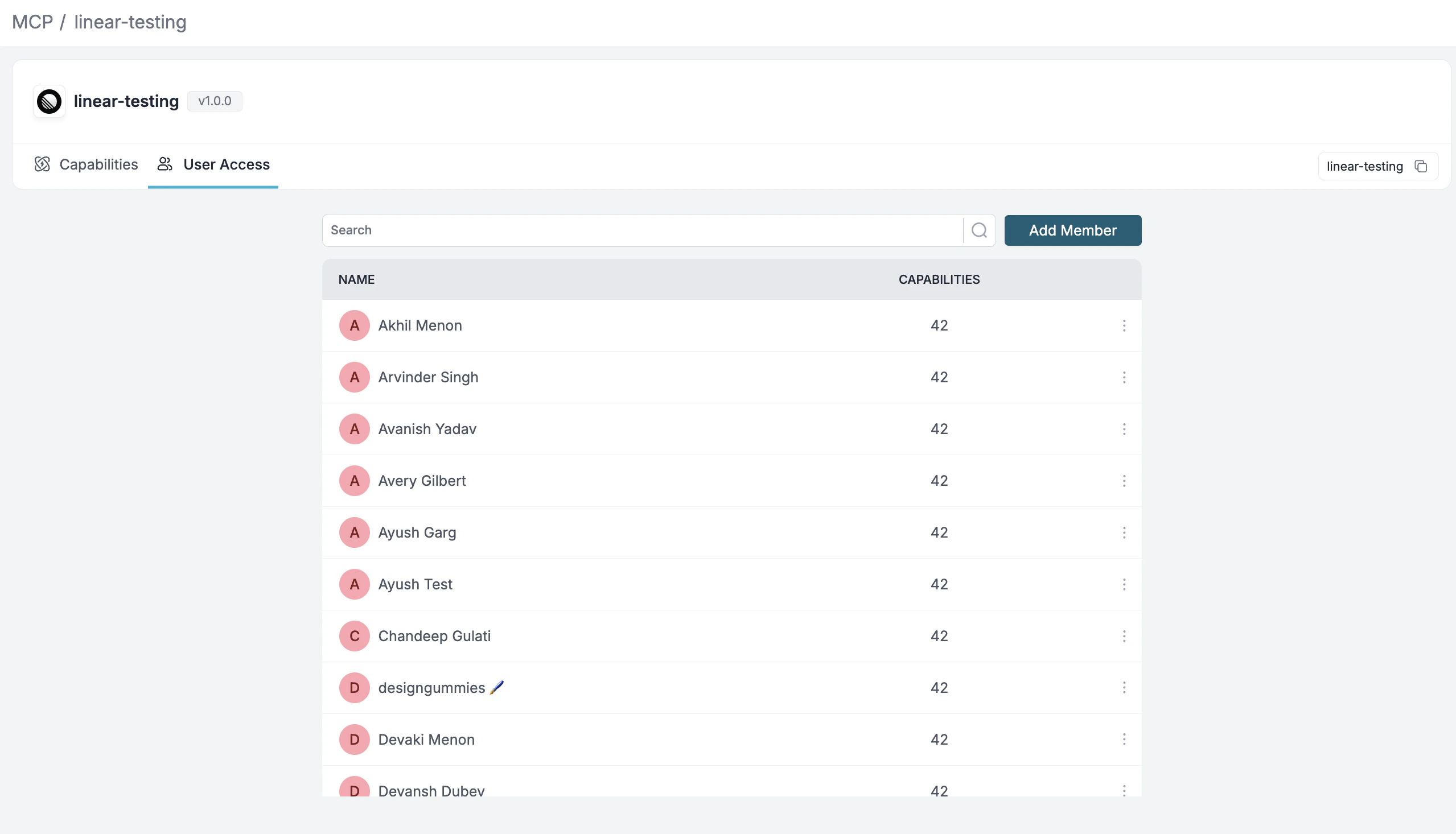
Control which users in your workspace can access an MCP server:
1. Go to **MCP** page in your workspace sidebar
2. Click on an MCP server
3. Use the **User Access** tab to toggle user access on/off
Enable **Automatically provision this integration for new workspaces** to include future workspaces by default.
## Workspace-level (MCP Servers)
Requires **Workspace Manager** or **Workspace Admin** role.
Control which users in your workspace can access an MCP server:
1. Go to **MCP** page in your workspace sidebar
2. Click on an MCP server
3. Use the **User Access** tab to toggle user access on/off
 ***
## Next Steps
Enable or disable specific tools at the organization level.
Apply rate limits, content filtering, and approval workflows.
***
## Next Steps
Enable or disable specific tools at the organization level.
Apply rate limits, content filtering, and approval workflows.